|
Installing Outlook 2007/2010 CDO |

  
|
|
Installing Outlook 2007/2010 CDO |
|
|
Outlook 2007/2010 Follow these instructions to install CDO for Outlook 2007/2010. |
| 1. | Go to the Microsoft download site and download the file ExchangeCdo.EXE. |
Internet Explorer Security Warning Dialog
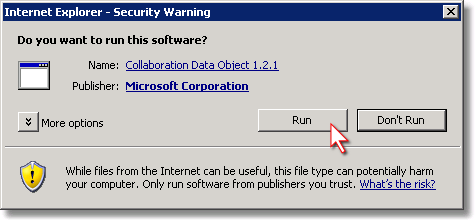
| 2. | Run the downloaded file. |
Extraction Directory Dialog
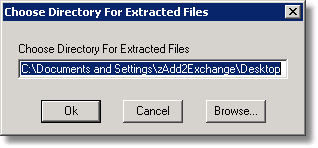
| 3. | Choose a directory in which to extract the files. Click Ok. |
| 4. | Find the extracted ExchangeCdo.exe file and run it. |
Installation Completion Dialog

| 5. | Click Finish. |
